
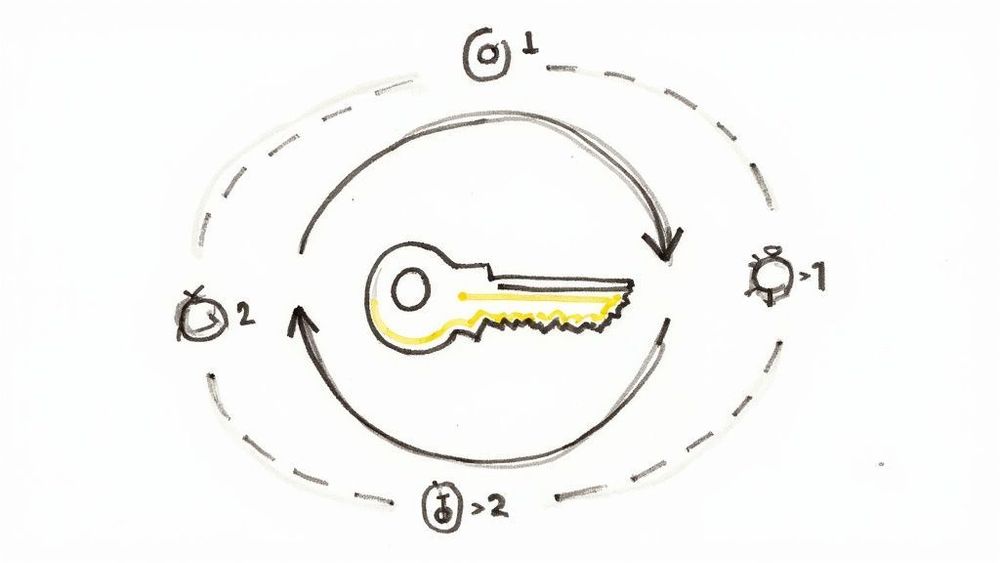
If you've ever pushed a .env file to GitHub by accident, watched a Stripe key leak through a frontend bundle, or inherited a codebase where the production database password lives in a Slack DM from 2022 — congratulations, you've met the app secrets problem.
App secrets are the credentials your application needs to function: API keys, database passwords, OAuth client secrets, signing keys, encryption keys, third-party tokens. They're the things that, if leaked, give an attacker the keys to your kingdom (or at least to your Twilio account, which they will use to send $40,000 worth of premium-rate SMS before you notice).
Managing app secrets correctly is one of those engineering disciplines that looks trivial until you've been burned. It sits on the critical path between "my code works on my laptop" and "my code runs safely in production." Get it wrong and you'll either spend a Saturday rotating credentials after a leak, or you'll spend three weeks fighting your secret manager every time you ship a feature.
This article walks through seven practices that actually hold up in 2026 — not security theater, not theoretical purity, but the things that survive contact with real teams shipping real products.
1. Never commit secrets to your repository — and detect it when someone does
This is the rule everyone knows and everyone breaks. The 2024 GitHub State of the Octoverse data showed that detected secret leaks on public repositories continued to grow year over year, despite a decade of warnings. The reason isn't ignorance — it's that the moment of failure is small and the cost is delayed.
A .env file gets created during local setup. Three months later, someone runs git add . instead of staging files individually. The secret is now in the git history forever, and git rm doesn't help because the blob still lives in the repository's object store.
The practical defense is layered:
- Add
.env,.env.local,*.pem,secrets.yml, and similar patterns to your global.gitignoreso they're ignored across every project on every developer machine. - Install a pre-commit secret scanner like gitleaks or trufflehog that blocks commits containing high-entropy strings or known credential formats.
- Enable GitHub Secret Scanning (or your platform's equivalent) on every repository — public and private. It catches what your local hooks miss, including patterns specific to AWS, Stripe, Slack, OpenAI, and ~200 other providers.
If a secret does land in your git history, treat it as compromised the moment it was pushed. Rewriting history with git filter-repo doesn't help if anyone has already cloned the repo, and it definitely doesn't help if the repo was public for even five minutes. Rotate the credential. Always. This is non-negotiable, even if you're "pretty sure" no one saw it.2. Separate secrets by environment — and never reuse them
A surprising number of small teams use the same database password across local development, staging, and production. The reasoning sounds practical: "It's easier to debug if my local environment matches prod." It's also catastrophic the first time a developer's laptop is stolen, a staging server is compromised, or a contractor's access isn't fully revoked.
Every environment should have its own complete set of credentials:
- Local development — short-lived credentials pointing at local services (Docker Compose, ephemeral cloud sandboxes). Never connect a developer laptop to production. Not even to "just check something quickly."
- CI/CD — scoped credentials with the minimum permissions needed for the pipeline (typically: deploy to staging, run integration tests against staging, push images to a registry).
- Staging — fully isolated from production. Different database, different API keys, different everything. Staging exists to find bugs before they touch real user data.
- Production — the most tightly controlled. Access logged, rotation automated, exposure minimized.
The mental model: if a single credential leaks, you should be able to rotate it without disrupting any other environment. If rotating your staging Postgres password also takes down production, your environments aren't actually separated.
3. Use a secret manager, not environment variables in your dashboard
For years, the default deployment story was: paste your secrets into the environment variables section of Heroku/Vercel/Render/whatever, and call it done. This still works for very small projects, but it has real limitations once you grow past one service or one developer.
Platform-level environment variable storage has three weaknesses:
- Auditability — most platforms log that a value was changed, not what it changed to or who specifically read it. Forensics after a leak are painful.
- Rotation — updating a value across ten services means ten manual edits, with no atomicity. If you forget one, you have a half-rotated credential and a broken service.
- Access control granularity — typically you have "can deploy" permissions, which implicitly means "can read and modify all secrets." There's no way to say "this engineer can deploy the API but cannot read the database password."
A dedicated secret manager solves these problems. The serious options in 2026 are:
- HashiCorp Vault — the industry heavyweight. Most powerful, most complex. Worth it if you have a security team or need dynamic secrets (database credentials generated on-demand and revoked after use).
- AWS Secrets Manager / Google Secret Manager / Azure Key Vault — solid choices if you're already deep in one cloud. Pay-per-secret pricing is reasonable; integration with IAM is the main draw.
- Doppler / Infisical — developer-friendly SaaS options with good CLI/CI integration and per-environment scoping out of the box. Lower ceiling than Vault, but you can be productive in an afternoon.
- Kubernetes-native options —
External Secrets Operatorsyncs from Vault/AWS/etc. into Kubernetes Secrets;Sealed Secretslets you commit encrypted secrets to git. Useful if you've already standardized on Kubernetes.
The right choice depends on team size and operational maturity. A two-person startup using Doppler is making a better security decision than a thirty-person company half-using Vault and half-using .env files in CI.
4. Rotate credentials regularly — and make rotation boring
The hardest part of credential rotation isn't the cryptography. It's the operational reality that rotation tends to break things, so teams stop doing it, so when a leak finally happens they're rotating a credential that hasn't been touched in three years and nobody remembers which services depend on it.
The fix is to make rotation routine and automated, not heroic.
A few principles that work in practice:
- Design for two valid credentials at once. Your application should accept either the current or the previous version of a secret during a transition window. This lets you rotate without downtime — push the new credential, wait for all instances to pick it up, then revoke the old one.
- Automate the actual rotation. Most secret managers can rotate cloud-provider credentials (AWS IAM keys, RDS passwords, etc.) on a schedule. For third-party APIs that don't support automated rotation, write a runbook and put a calendar reminder on someone's desk.
- Rotate immediately on any suspicious event. Laptop stolen, contractor offboarded, suspicious log entry, anomalous API usage — these are all rotation triggers. The cost of an unnecessary rotation is hours; the cost of skipping a necessary one can be your company.
- Track credential age. Every secret should have a known creation date. Any credential older than your rotation policy should appear on a dashboard somewhere, visible to the team.
The team that rotates credentials every 90 days as a matter of routine will recover from a breach in hours. The team that hasn't rotated in two years will spend a week archaeology-ing their own infrastructure.
5. Apply the principle of least privilege — granularly
Most leaked credentials cause more damage than they should because they're over-scoped. The Stripe key that was meant to "just create payment intents" turns out to also have permissions to issue refunds, read all customer data, and modify webhook URLs. The AWS access key that was meant to "just upload to one S3 bucket" has full administrator access because the developer was in a hurry.
Concrete tactics that pay off:
- Use scoped tokens whenever the provider supports them. GitHub fine-grained personal access tokens, Stripe restricted keys, AWS IAM policies attached to specific resources, Google service accounts with narrow OAuth scopes — every major provider now supports this. Use it.
- Prefer short-lived credentials over long-lived ones. AWS STS tokens that expire in an hour, OAuth tokens with refresh flow, Vault dynamic secrets generated per-request. A leaked credential that expires in 60 minutes is dramatically less dangerous than one that's valid for a year.
- Separate read and write credentials. Your analytics job needs read-only database access. Your backup script needs read-only S3 access (and write-only to a different backup bucket). Don't reuse the application's main credentials for ancillary tasks.
- Audit permissions periodically. AWS IAM Access Analyzer, GCP's Recommender, and similar tools flag overly permissive credentials. Run them quarterly. You will find things.
The metric to optimize: if this specific credential leaks today, what is the worst thing an attacker can do? If the answer is "anything they want," the credential is over-scoped.
6. Inject secrets at runtime, not build time
A common anti-pattern is baking secrets into Docker images at build time. Someone writes:
ENV DATABASE_URL=postgres://user:password@host/db…or worse, copies a .env file into the image. The secret is now in the image layers, accessible to anyone who can pull the image — including, in many setups, a wider audience than you think.
Secrets should be injected at runtime through one of these mechanisms:
- Environment variables set by the orchestrator (Kubernetes Secrets mounted as env vars, ECS task definitions referencing Parameter Store, etc.)
- Mounted files (
tmpfsvolumes containing fetched secret material — preferable for larger payloads like certificates) - Direct fetches from the secret manager at startup, using the application's identity (instance profile, workload identity, service account token) for authentication
This last pattern — applications authenticating themselves to a secret manager and pulling their own secrets — is the gold standard. There's no static credential to leak; the workload's identity is bound to its runtime environment.
When you're deploying to a managed platform, this kind of runtime injection should be the default. On NoVPS, for example, secrets configured for an application are injected into the container as environment variables at start time, never baked into the image, and managed databases provide their connection credentials through the same runtime injection — meaning the Postgres or MySQL password your app uses isn't something a developer ever sees, copies, or commits. Whichever platform you use, verify that secrets aren't ending up in image layers, build logs, or deployment artifacts.
7. Monitor and alert on secret usage
The last line of defense is detection. If a credential leaks despite everything above, you want to know within minutes, not when you read about your company on Hacker News.
The practical pieces:
- Log every secret access. If your secret manager supports access logging (Vault, AWS Secrets Manager, GCP Secret Manager all do), turn it on. Send the logs to your SIEM or, at minimum, to a log aggregation tool you actually look at.
- Alert on anomalies. Unusual access patterns — a secret accessed from a new IP, a new region, at 3 AM, by a service that doesn't normally touch it — should page someone. Most teams set this up once and benefit from it for years.
- Watch the third-party side too. Stripe, AWS, GitHub, and most major providers have audit logs and anomaly detection. Configure alerts on the provider side: "alert me if my API key is used from outside the US," "alert me if AWS console login happens from a new country," etc.
- Set up dead canary tokens. A "canary" is a fake credential placed somewhere it shouldn't be accessed (a comment in a public README, an old git branch). The moment anyone tries to use it, you know something is wrong. Tools like Canarytokens make this free.
The combination of access logging, anomaly alerting, provider-side monitoring, and canaries gives you defense in depth. No single layer catches everything, but together they make undetected long-term compromise unlikely.
Putting it together
You don't have to implement all seven practices on day one. A reasonable progression for a small team:
- Week 1: Stop committing secrets. Set up
.gitignoreproperly, enable secret scanning, install a pre-commit hook. - Week 2: Separate environments. Different credentials for local, staging, production — even if you're managing them in your platform's dashboard for now.
- Month 2: Adopt a secret manager. Start with the secrets that touch production data; migrate others over time.
- Month 3: Audit permissions. Replace any "admin-everything" credentials with scoped ones. Document what each credential is used for.
- Quarter 2: Automate rotation for the credentials that support it. Build runbooks for the ones that don't.
- Ongoing: Add monitoring and canaries. Review quarterly.
The teams that handle app secrets well aren't the ones with the most sophisticated tooling — they're the ones who treat secret management as part of their normal engineering practice rather than a one-time setup task. Every new service, every new integration, every new team member is an opportunity for a secret to end up somewhere it shouldn't. The work is in building habits and systems that catch those moments before they become incidents.
Get this right and you'll never think about it again. Get it wrong and you'll think about it constantly — usually at 2 AM, on a Saturday, while your customers are tweeting.