
Why generating package-lock.json on macOS silently breaks your Linux builds — and two ways to fix it.
The problem
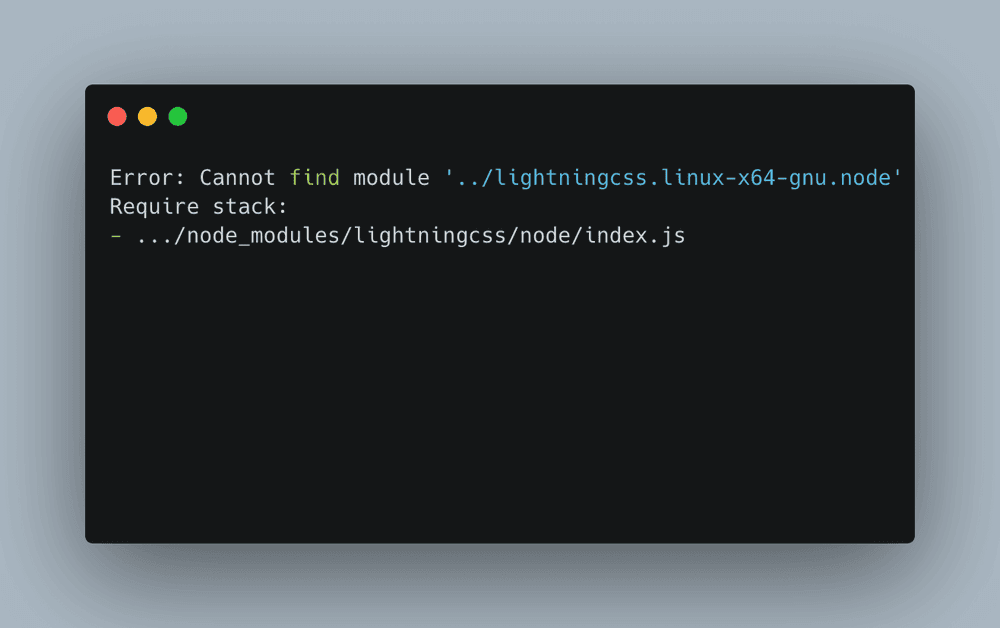
You build your frontend on macOS without a hitch. Then CI runs on Linux and blows up immediately:
Error: Cannot find module '../lightningcss.linux-x64-gnu.node'
Require stack:
- .../node_modules/lightningcss/node/index.js
The culprit is how npm handles native binaries for packages like lightningcss. These packages ship separate prebuilt .node files for each platform — lightningcss-darwin-arm64, lightningcss-linux-x64-gnu, lightningcss-linux-x64-musl (for Alpine/musl-based images), and so on.
When you run npm install on macOS, npm only resolves and records the macOS-specific optional dependency in your package-lock.json. The Linux variant is simply not listed. When you then run npm ci on Linux — which installs exactly what the lockfile says — the Linux native module is nowhere to be found.
ℹ Why npm ci makes it worse:npm install might silently re-resolve the correct platform variant, but npm ci is strict — it installs only what is recorded in the lockfile, making the bug deterministic and reproducible.
Option 1 — Delete package-lock.json (the dirty fix)
The fastest path to a green build: just delete the lockfile and let npm regenerate it on each environment.
# Remove the lockfile
rm package-lock.json

# Re-install so npm generates a fresh cross-platform lockfile
npm install
On Linux, npm will now resolve lightningcss-linux-x64-gnu and install it. Build passes. Problem gone.
⚠ But this is genuinely risky. A lockfile exists to guarantee reproducible installs. Without it, any dependency that uses a loose version range (e.g. "^1.2.0") in package.json may silently upgrade to a newer patch or minor version the next time someone runs npm install on a fresh machine. This trades one class of breakage for another. Use this only as a stop-gap, never as a permanent fix in a shared codebase.
When it's acceptable
Solo projects with all dependencies pinned to exact versions in package.json, or throwaway prototypes where reproducibility doesn't matter yet.
Option 2 — Explicit optionalDependencies (the proper fix)
The right fix is to tell npm — in package.json — that your project needs the Linux native binaries as optional dependencies. npm will then record all platform variants in the lockfile, and install only the one that matches the current OS.
Step 1 — Find the version in use
Check which version of lightningcss is currently installed:
npm ls lightningcssNote the exact version — say 1.29.2. The platform packages must match it exactly.
Step 2 — Update package.json
Add both lightningcss itself (to the right dependency group) and its Linux native binaries under optionalDependencies. There are two Linux flavors to cover: gnu for standard glibc-based distros (Ubuntu, Debian, Fedora…) and musl for Alpine-based images common in Docker CI.
{
  "dependencies": {
    // ... your other deps
    "lightningcss": "1.29.2"
  },
  "optionalDependencies": {
    "lightningcss-linux-x64-gnu": "1.29.2",
    "lightningcss-linux-x64-musl": "1.29.2"
  }
}
ℹ Using optionalDependencies means npm will try to install these packages but will not fail the build if they can't be found for the current platform. On macOS, both Linux entries are simply skipped — exactly the behavior you want.
Step 3 — Regenerate the lockfile from macOS
Delete the existing lockfile and let npm regenerate it. This time, because the Linux variants are explicitly declared, npm will record them in the lockfile even when running on macOS.
rm package-lock.json
npm install
Commit the freshly generated package-lock.json. From now on, npm ci on Linux will find and install the correct native binary.
ARM Linux too?
If you also deploy to ARM-based Linux servers (e.g. AWS Graviton, Raspberry Pi), add the arm64 variants as well:
{
  "optionalDependencies": {
    "lightningcss-linux-x64-gnu": "1.29.2",
    "lightningcss-linux-x64-musl": "1.29.2",
    "lightningcss-linux-arm64-gnu": "1.29.2",
    "lightningcss-linux-arm64-musl": "1.29.2"
  }
}
The broader pattern
This problem is not unique to lightningcss. Any package that ships platform-specific native binaries as optional sibling packages — @swc/core, esbuild, sharp, rollup — can hit the same issue when the lockfile is generated on a different OS. The fix is always the same: explicitly declare the platform packages you care about in optionalDependencies so that they are recorded in the lockfile regardless of where npm install is run.
Think of it as documentation for your build infrastructure: your package.json now clearly states "this project runs on Linux glibc and musl," and any developer or CI system can reproduce the exact install without platform guesswork.